Know your disk.
Clean it safely.
LunarDisk is an open-source macOS disk usage visualizer. Scan any folder or volume, see exactly what's taking space, and act on it without guessing.
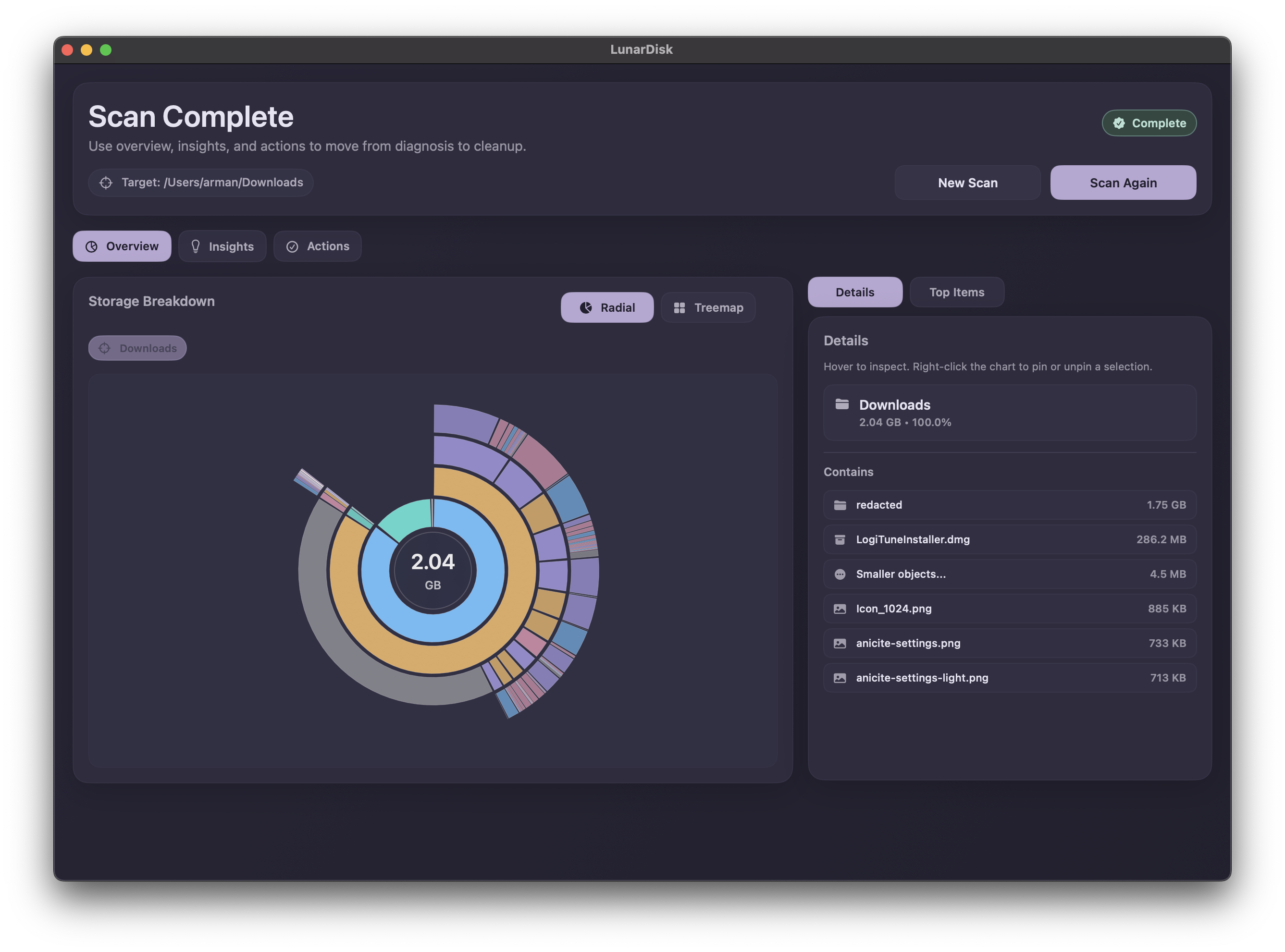
A look inside LunarDisk
Thoughtfully designed UIs that give you clarity without clutter.
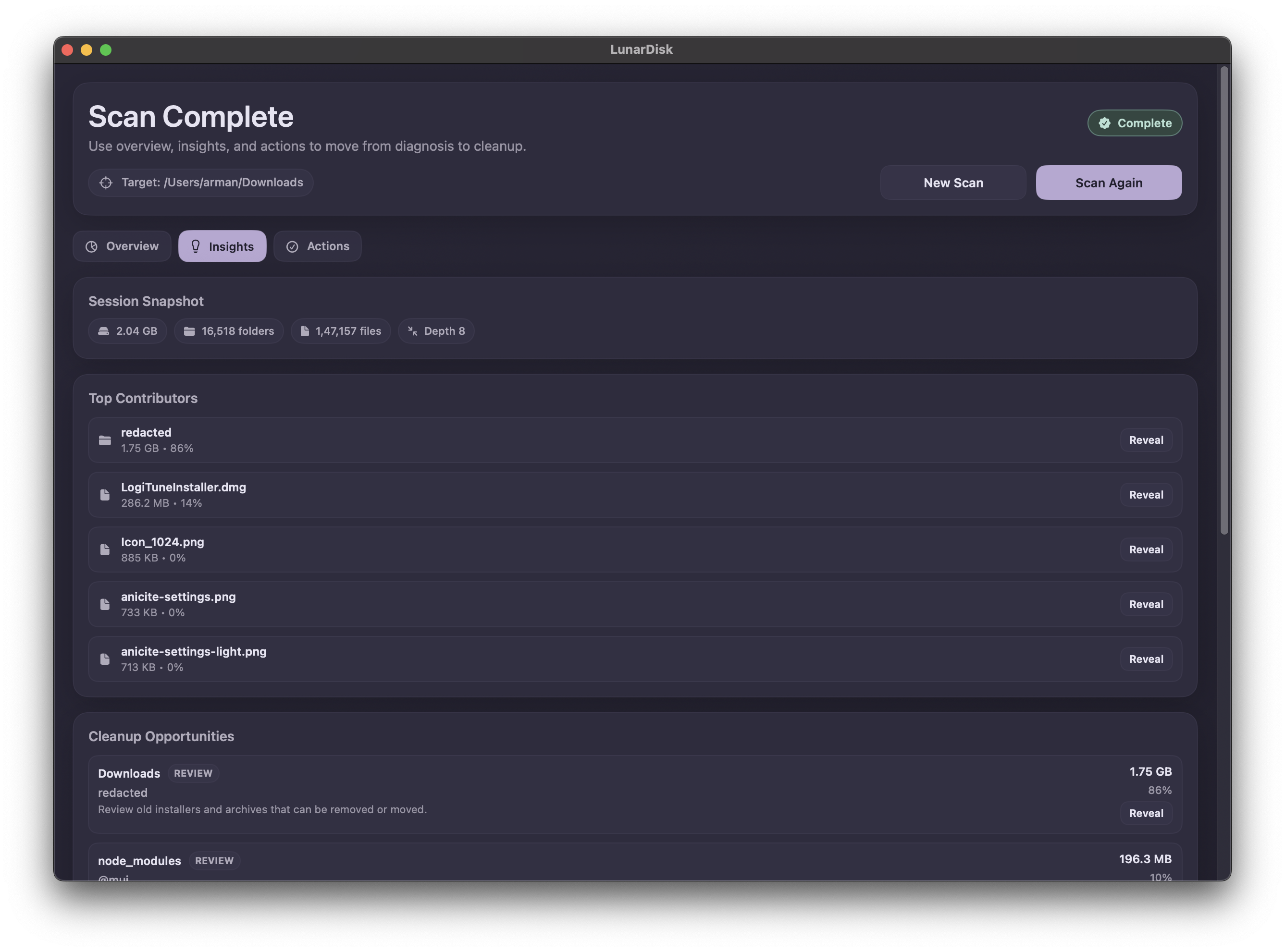
Detailed insights
Drill into any directory to see size breakdowns and file counts. Spot your largest storage consumers with precision.
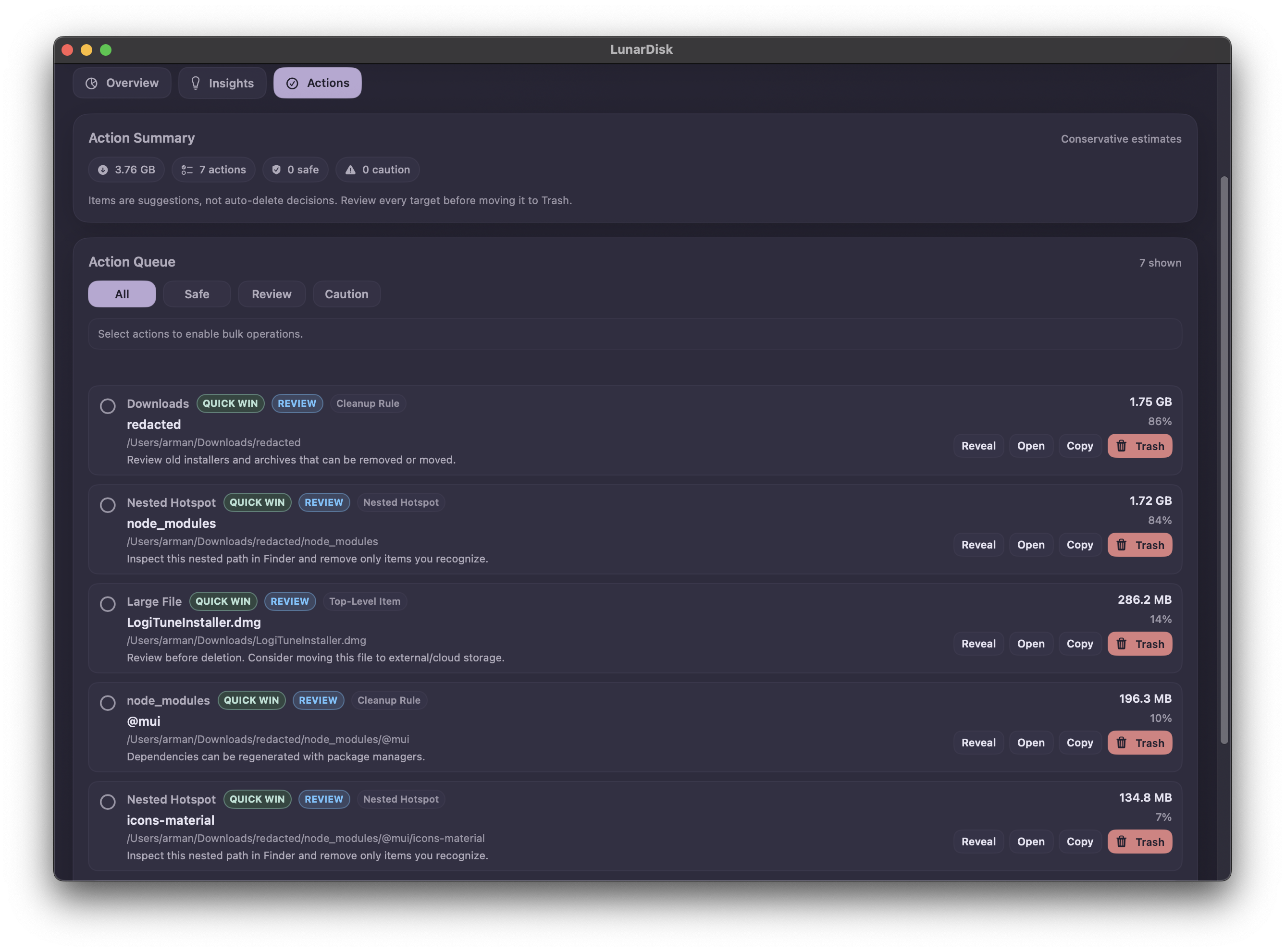
Safe cleanup actions
Take action on what you find. Review exactly what you're about to delete before acting, with no accidental removals.
Everything you need to reclaim your disk
Built for macOS users who want clarity before they clean.
Visual disk map
See your storage as an interactive radial chart. Spot large directories and files at a glance.
Recursive scanning
Deep scan any folder or entire volume. Every subdirectory is mapped with accurate sizes you can trust.
Drill-down navigation
Click any segment to zoom into that directory. Navigate deep into your folders to understand them better.
File type breakdown
Understand your storage by file type. Find where videos, developer caches, and other data quietly accumulate.
Local-first scanning
All scanning stays entirely on your Mac. No data is read, transmitted, or stored anywhere outside your device.
Fully open source
The entire codebase is on GitHub. Inspect it, fork it, and contribute freely.
Get started quickly
No setup. No accounts. Just download and start scanning.
Download
Grab the latest release from GitHub. No account, no subscription.
Scan
Choose any folder or volume and start a recursive scan.
Clean
Inspect the size breakdown, drill into directories, and safely delete files.
Privacy is the foundation
LunarDisk was built with a local-first, least-privilege approach from day one.
No cloud, ever
All scanning runs locally on your Mac. Your file names and sizes never leave your device.
No network requests
LunarDisk makes zero network requests during or after a scan. There are no servers involved.
No file content reading
Only metadata (names, sizes, dates) is accessed. Your actual file contents are never read or touched.
Don't just take our word for it. Explore the source code on GitHub